Salesforce Field Service
Running a field service business means managing numerous moving parts. With Field Service, you get the tools that you need to manage work orders, scheduling, and your mobile workforce. Here are some of the things you can do:
- Create records that represent your field service workers, dispatchers, and agents, and add details about their skills, location, and availability
- Set up multilevel service territories that represent the regions where mobile workers can provide services
- Track the location and status of your inventory, warehouses, service vehicles, and customer sites
- Schedule one-time or recurring work orders for customers, and add details about worker preferences, required skills, and parts
- Create maintenance plans and templates to standardize your field service tasks
- Generate service reports to keep customers informed about service progress
Licenses
Salesforce Field Service uses different user licenses for each persona.
Field Service Licenses
| Features | Dispatcher | Technician | Contractor | Contractor Plus |
|---|---|---|---|---|
| Work Orders | ✅ | ✅ | ✅ | ✅ |
| Appointment Booking | ✅ | ✅ | ✅ | ✅ |
| Asset, Inventory, and Product Tracking | ✅ | ✅ | ✅ | ✅ |
| Opportunities | ✅ | ✅ | ❌ | ✅ |
| Android and iOS Mobile App | ❌ | ✅ | ✅ | ✅ |
| Schedule Optimization | ✅ | ❌ | ❌ | ✅ |
| Dispatcher Console | ✅ | ❌ | ❌ | ✅ |
Field Service Plus
Get the field service bundle that combines both Technician/Mobile Employee and Dispatcher along with all Service Cloud and Sales Cloud functionality.
Documentation
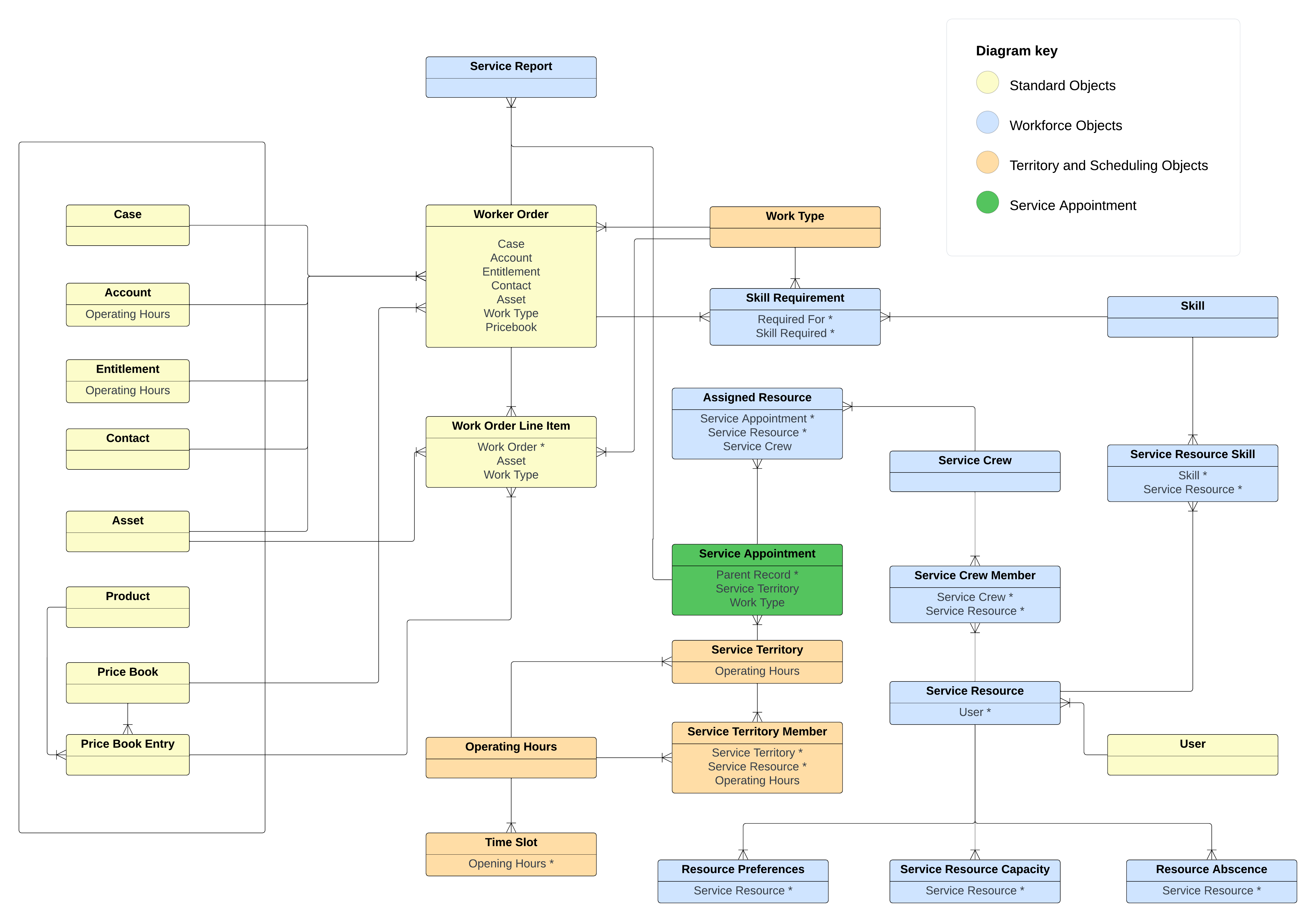
Data Model
Core
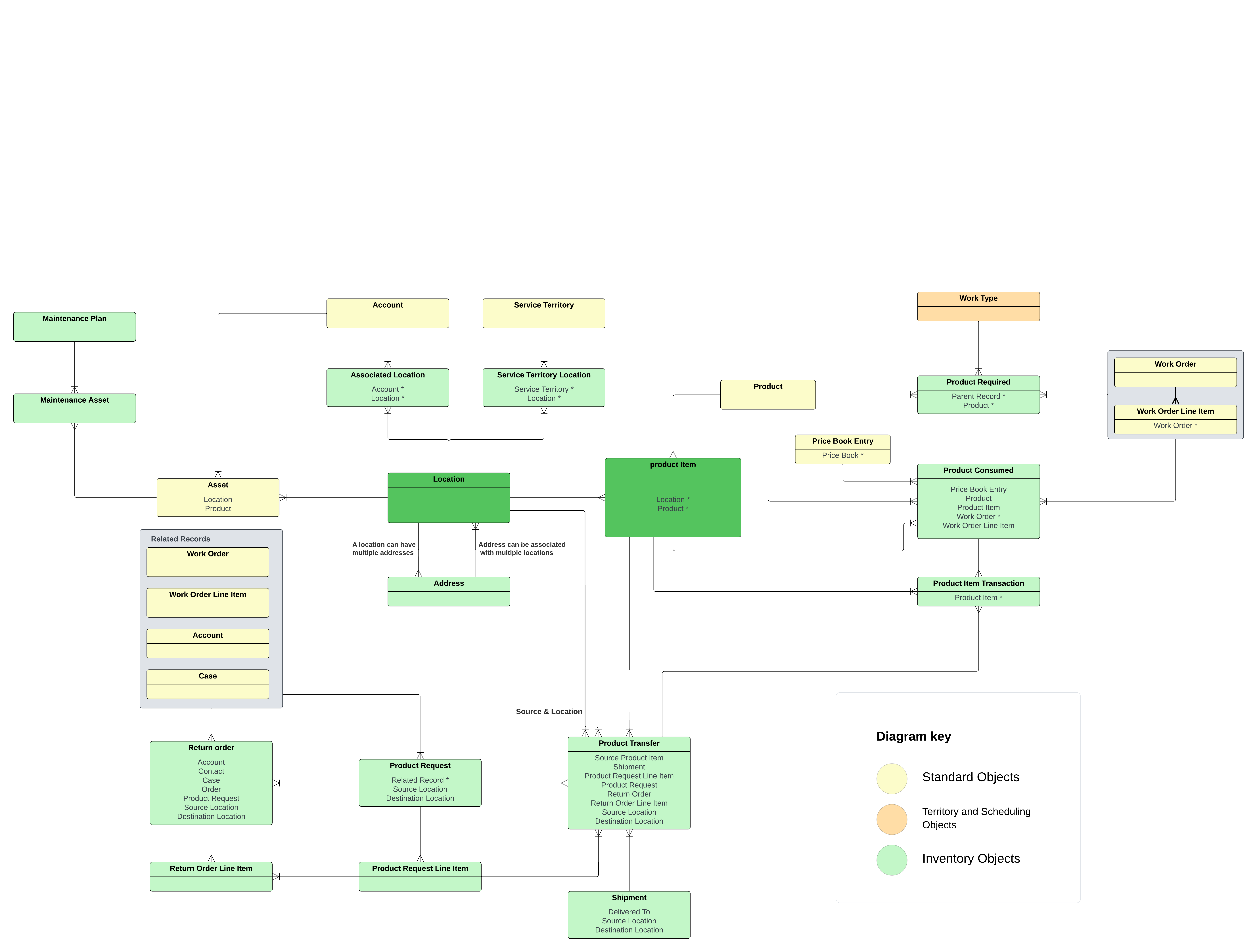
Inventory Management
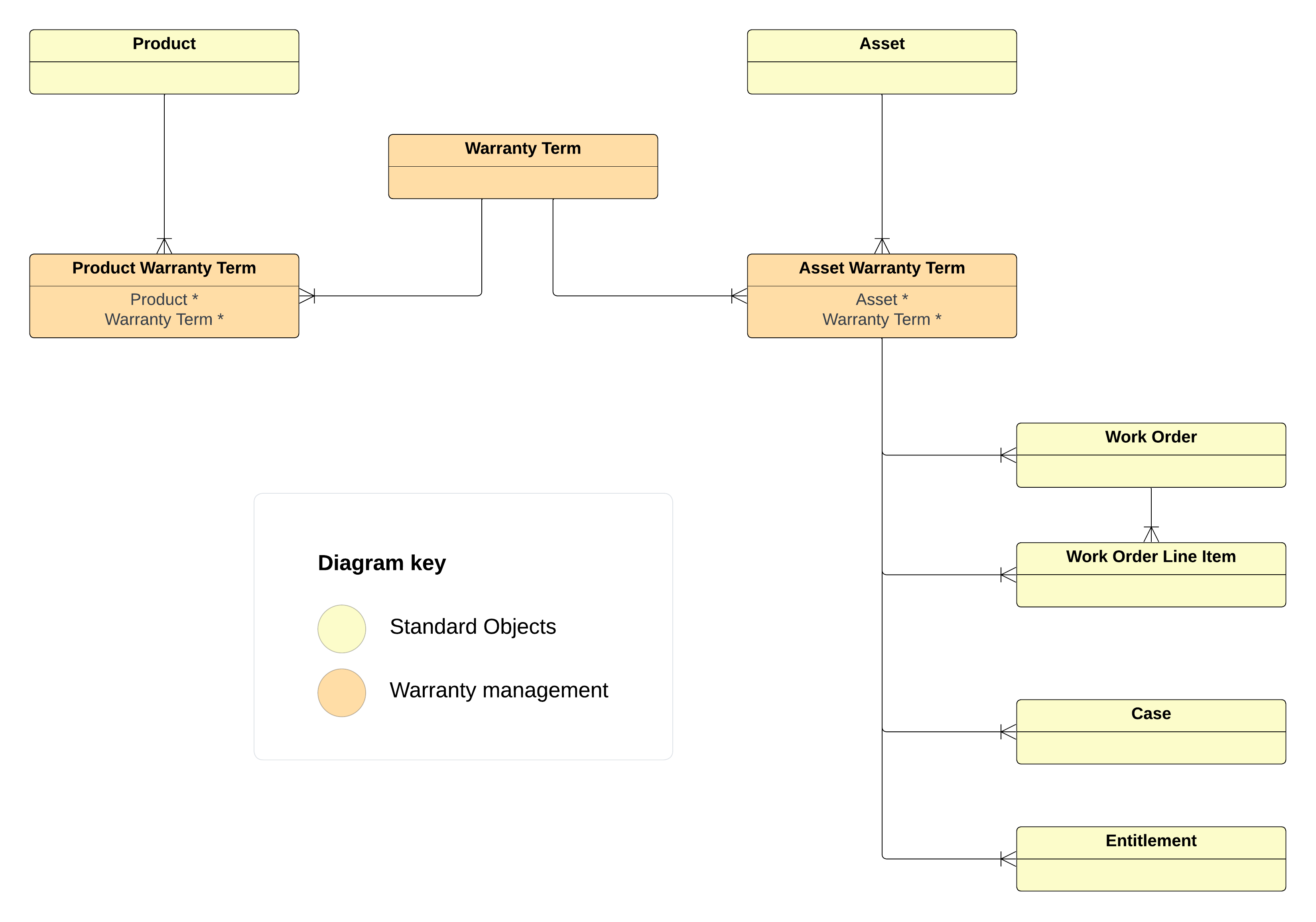
Warranty Management
Mobile App
Field Service provides a mobile app available in different stores. Mobile workers using the app can:
- Work while Offline
- Scan Barcodes
- Capture Signatures
- View their appointment schedule
- Track updates with push notifications
- View Knowledge articles to complete tricky tasks
- Track van stock and inventory consumed to complete jobs